2. Introduction to MIDI
The Musical Instrument Digital Interface (MIDI) is a protocol that allows electronic musical instruments, computers and other devices to communicate with one another. It was standardized in 1983 so that electronic musical instruments of the era could communicate with one another between manufacturers. It was a relatively simple protocol designed to communicate aspects of a typical musical performance: notation, pitch, velocity and more.
Forty-three years later every operating system still understands it, no drivers required.
MIDI controllers
A device that's capable of sending MIDI data to another MIDI-capable device is called a MIDI controller. A simple example to consider would be a simple, piano-style keyboard like this:
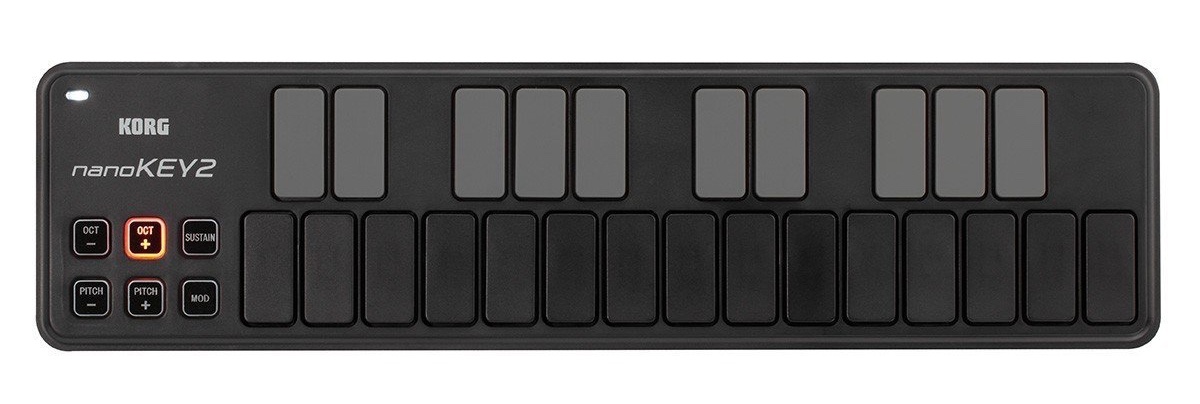
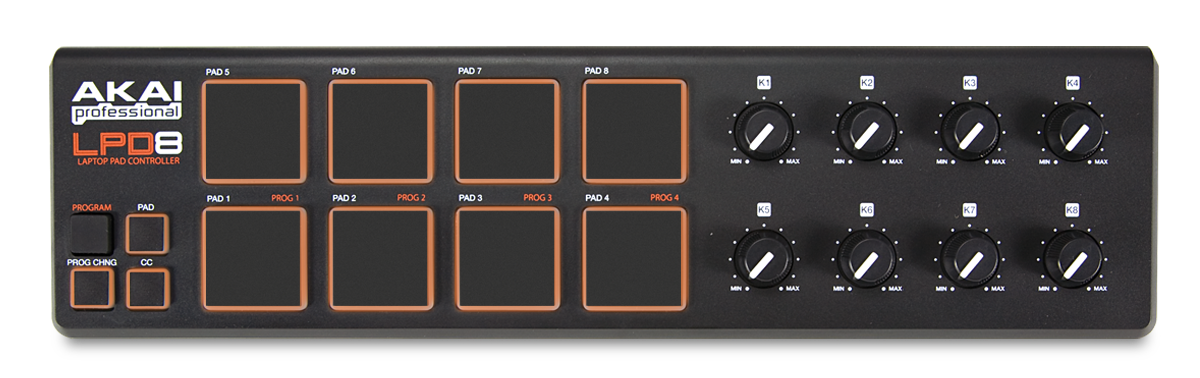
But they can vary widely in appearance and modes of interaction. Buttons are certainly common, but you might also find some that incorporate dials:
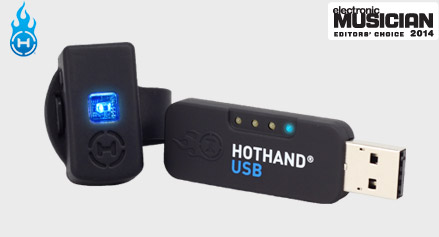
Others use more abstract and interesting modes of interaction, including mapping motion or breath to MIDI signals. For example, this controller uses three accelerometers to map hand gestures to MIDI messages:
It turns out they're not terribly difficult to build and you can find a lot of home-brewed MIDI controllers out in the wild. They can get much more elaborate in a hurry:
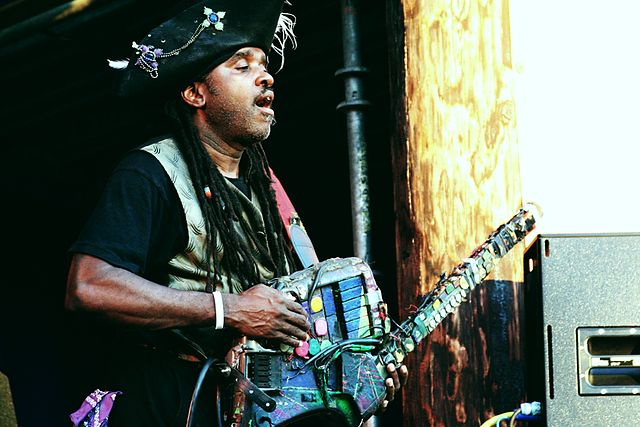
Some can be downright bananas:
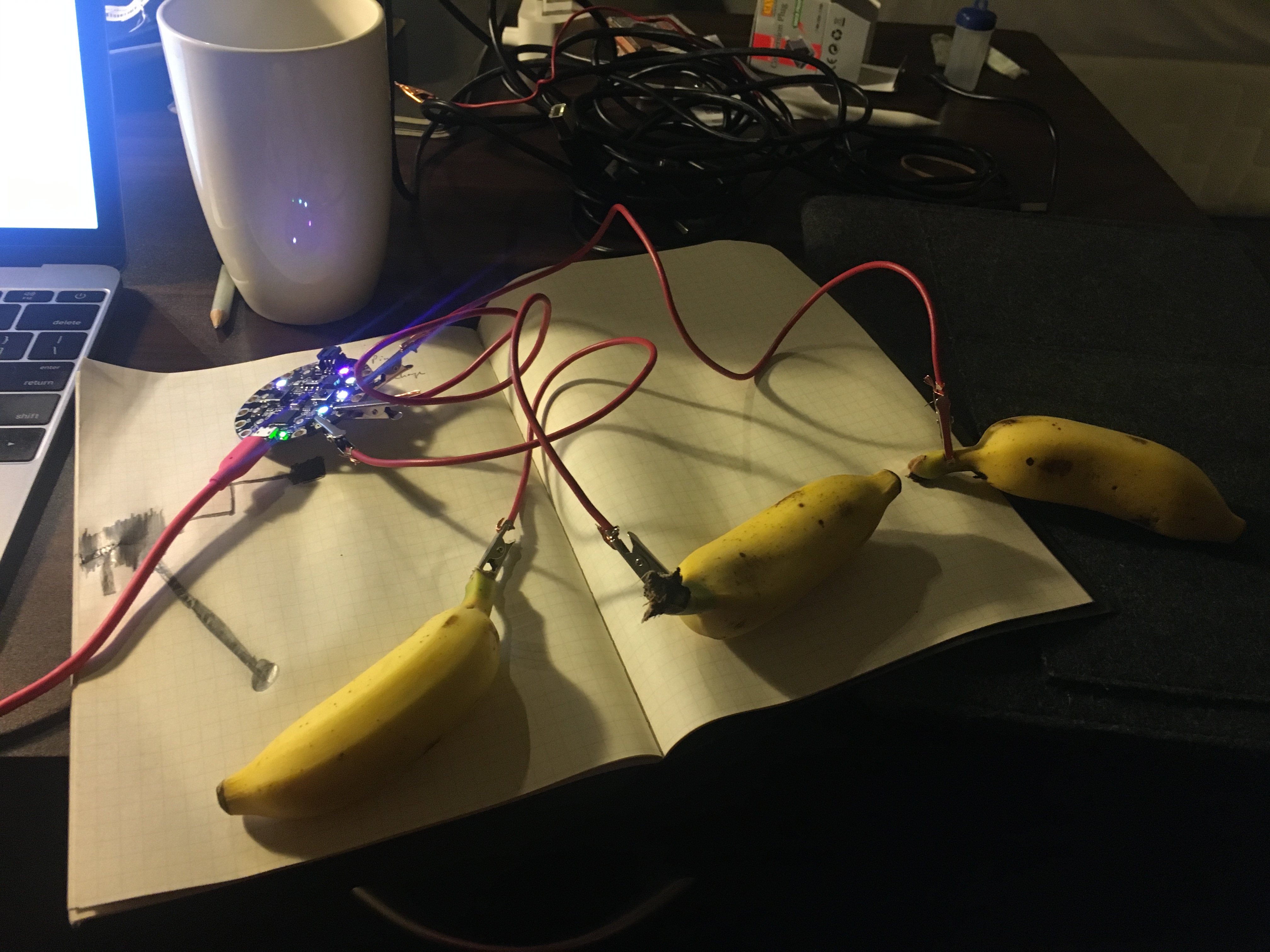
Everything on the table today is a MIDI controller, and none of them know anything about music.
Anatomy of a MIDI message
When a MIDI controller "speaks" to another MIDI-capable device or computer they are sending and receiving MIDI messages with one another. The protocol underlying this communication is quite simple in practice but a little verbose when explained. Still, I'll try.
Every MIDI message consists of 3 bytes of 8 bits (0–255)
Represented in binary, a message might look like this:
10010000 | 00111100 | 01111111
There are only 2 types of bytes: status and data
Every message consists of 1 status byte and 2 data bytes. A status byte will always begin with the
number 1 and data bytes with the number 0.
1x0010000 | 0x0111100 | 0x1111111
^status     ^data1      ^data2
For data bytes that leaves 7 bits to express the data in that byte. That gives us an integer range of
0-127.
For status bytes, the next 3 bits after the first describe the type of status message while the remaining 4 bits describe the channel. To break down our binary representation:
1x001x0000
The channel messages. Each status value is for channel 1; add the channel number 0 to 15 for the rest.
| Status | Name | Data 1 | Data 2 | What it is for |
|---|---|---|---|---|
| 128 | Note Off | note | release velocity | A key came up. Velocity is how fast; most devices send 0. |
| 144 | Note On | note | velocity | A key went down. Velocity 0 counts as Note Off. Buttons and pads send this. |
| 160 | Polyphonic aftertouch | note | pressure | Pressure on one held key. Rare. |
| 176 | Control Change | controller | value | A knob, slider, pedal or sensor moved. Most of what is not a button. |
| 192 | Program Change | program | none | Pick a sound or preset. Two bytes only. |
| 208 | Channel aftertouch | pressure | none | Pressure on the whole keyboard. Two bytes only. |
| 224 | Pitch Bend | low 7 bits | high 7 bits | The bend wheel, 14 bits of resolution. |
System messages have no channel. They start at 240.
| Status | Name | What it is for |
|---|---|---|
| 240 | SysEx | Any length, ends with 247. Whatever the manufacturer wants: Launchpad colours, firmware updates. |
| 248 | Clock | 24 ticks per quarter note, so devices can play in time. |
| 250 | Start | Play from the top. |
| 251 | Continue | Play from where you stopped. |
| 252 | Stop | Stop. |
| 254 | Active Sensing | A heartbeat every 300 ms so a receiver knows the cable is still there. |
| 255 | Reset | Everything back to power-on state. |
The whole thing fits on one page: the MIDI Association's Summary of MIDI 1.0 Messages. The MIDI 1.0 specification is the long version.
In Processing we seldom have to process these binary representations directly. Java's built-in
javax.sound.midi hands us the three numbers split up. The helper tabs in this workshop turn them into
stick.x, mf.pressed(3) or pad.justPressed(x, y). In p5.js the Web MIDI API gives us an array:
[144, 60, 127]
If you're working with existing musical hardware it's helpful to have this deeper understanding of how
and why the messages are structured the way they are. It's helpful to know that receiving a 144 in your
first byte means a note is being turned on in the first channel and that a 128 would indicate that a
note is being turned off.
However, if we're building non-musical experiences and creating our own hardware these numbers can be repurposed to represent whatever you want!
Buttons send notes, everything else sends CCs
A button is a note on when pressed, a note off when released. A joystick axis, a slider, a knob or a light sensor is a control change, 0 to 127. The Explorer shows which numbers your device uses. Each device page lists them.
The escape hatch: SysEx
One message type can be any length. System Exclusive starts with F0, names a manufacturer, carries
any number of 7-bit bytes, and ends with F7. The Launchpad's RGB colours and scrolling text are
SysEx. Browsers ask a separate permission before a page may send it. Processing sends it with a
SysexMessage and never asks. The Launchpad's text command is taken apart in the
Launchpad Marquee notes.